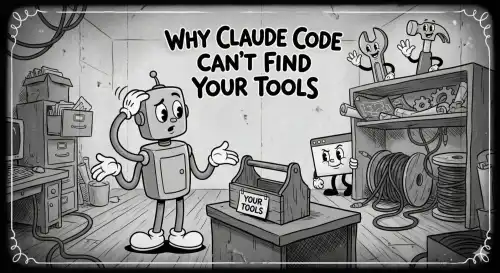
You type gh pr list in your terminal and it works perfectly. You ask Claude Code to do the same, and it replies: "command not found: gh". Your Go toolchain, nvm, pyenv, Homebrew binaries — all invisible to the agent. This is not a bug in Claude Code. It is a fundamental property of how Unix shells start up, and once you understand it, the fix is a one-time, five-minute change.
The Surprise
AI coding assistants like Claude Code, Gemini, Copilot, Cline, Aider, and similar tools spawn child shell processes to run commands on your behalf. From where you sit, the terminal looks identical to the one you use every day. But the shell those tools launch is fundamentally different from the one you interact with — and that difference determines which startup files are read, which means it determines what is on your PATH.
The result is a confusing experience: tools you have used for years are suddenly invisible to the agent trying to help you. The culprit is not your installation. It is the shell startup file hierarchy.
Zsh Startup Files and When They Are Sourced
Zsh loads different configuration files depending on how it was launched. There are four main files, and they are read in this order:
| File | Login shell | Interactive shell | Non-interactive shell |
|---|---|---|---|
~/.zshenv | Yes | Yes | Yes |
~/.zprofile | Yes | No | No |
~/.zshrc | No | Yes | No |
~/.zlogin | Yes | No | No |
The key column is the last one. A non-interactive, non-login shell — the kind that Claude Code spawns — sources only ~/.zshenv. Everything else is skipped entirely.
~/.zshenvis sourced for every zsh invocation, no matter what. It is the right place for environment variables that must be available universally:PATH,GOPATH,JAVA_HOME, and similar exports.~/.zprofileis sourced for login shells (e.g., when you open a new terminal window or SSH into a machine). Homebrew places its environment setup here on Apple Silicon Macs (/opt/homebrew/bin/brew shellenv), which is why Homebrew tools can also go missing.~/.zshrcis sourced only for interactive shells — sessions where you type commands. This is where most developers put everything: aliases, prompt configuration,nvm,pyenv,rbenv, completions, and — critically — PATH customizations.~/.zloginis sourced after~/.zshrcfor login shells. It is rarely used by developers directly.
What PATH a Non-Interactive Shell Actually Sees
You can observe this yourself. Run these two commands and compare the output:
1# What a non-interactive shell sees2zsh -c 'echo $PATH'34# What your interactive shell sees5echo $PATH
On a typical macOS developer machine, the non-interactive shell might produce something like:
/usr/local/bin:/usr/bin:/bin:/usr/sbin:/sbin
While your interactive shell shows something far richer:
1/opt/homebrew/bin:/opt/homebrew/sbin:/Users/you/.nvm/versions/node/v20.11.0/bin:2/Users/you/go/bin:/Users/you/.local/bin:/usr/local/bin:/usr/bin:/bin:/usr/sbin:/sbin
All those extra paths — Homebrew, nvm, Go binaries — live in ~/.zshrc, ~/.zprofile, or in scripts those files source. A non-interactive shell never reads any of them.
Diagnosing the Problem
Before changing anything, confirm the symptom. Use zsh -c to simulate what Claude Code sees:
1# Does Claude Code's shell see the tool?2zsh -c 'which gh'3zsh -c 'which go'4zsh -c 'which node'56# Does your interactive shell see it?7zsh -i -c 'which gh'8zsh -i -c 'which go'9zsh -i -c 'which node'
The -i flag forces an interactive shell, which sources ~/.zshrc. If zsh -c 'which gh' prints gh not found but zsh -i -c 'which gh' prints the correct path, your PATH export is in ~/.zshrc and you have confirmed the root cause.
The Fix: Move PATH Exports to ~/.zshenv
The solution is straightforward: any environment variable that must be visible to all processes — including non-interactive subshells — belongs in ~/.zshenv, not ~/.zshrc.
Open (or create) ~/.zshenv and add your PATH exports there:
1# ~/.zshenv2# Sourced for every zsh invocation — interactive, login, and non-interactive alike34# Homebrew (Apple Silicon)5export PATH="/opt/homebrew/bin:/opt/homebrew/sbin:$PATH"67# Go8export GOPATH="$HOME/go"9export PATH="$GOPATH/bin:$PATH"1011# Local binaries12export PATH="$HOME/.local/bin:$PATH"
For tools that inject themselves via an eval expression in ~/.zshrc — such as nvm, pyenv, or rbenv — you need to move or duplicate that initialization into ~/.zshenv as well:
1# ~/.zshenv — nvm initialization for non-interactive shells2export NVM_DIR="$HOME/.nvm"3[ -s "$NVM_DIR/nvm.sh" ] && source "$NVM_DIR/nvm.sh" --no-use45# pyenv6export PYENV_ROOT="$HOME/.pyenv"7export PATH="$PYENV_ROOT/bin:$PATH"8eval "$(pyenv init --path)"
Note the --no-use flag for nvm: it initializes nvm without switching to the default Node.js version, which speeds up shell startup for non-interactive contexts. Remove it if you want the default version active everywhere.
After saving ~/.zshenv, verify without restarting your terminal:
1# Reload .zshenv in your current shell2source ~/.zshenv34# Confirm Claude Code's shell type now finds the tool5zsh -c 'which gh'6zsh -c 'which go'7zsh -c 'which node'
What to Keep in ~/.zshrc vs ~/.zshenv
Moving everything to ~/.zshenv is not the right answer. Some configuration should stay in ~/.zshrc because it only makes sense in interactive contexts or because it has side effects that slow down non-interactive shells unnecessarily.
Keep in ~/.zshenv:
PATHexports and modificationsGOPATH,JAVA_HOME,PYTHONPATH,CARGO_HOME, and similar tool-specific env varsNVM_DIR,PYENV_ROOT,RBENV_ROOTand theirPATHinjectionsEDITOR,PAGER,LANG,LC_ALL
Keep in ~/.zshrc:
- Shell aliases (
alias ll='ls -la') - Prompt configuration (Starship, Powerlevel10k, oh-my-zsh)
- Tab completion setup
- Shell functions for interactive use
- History settings
zshplugins and plugin managers- Anything that prints output (welcome messages,
neofetch, etc.)
The Broader Pattern: Any Tool That Spawns Subshells
Claude Code is not unique here. This same behavior affects any process that spawns a child shell without the -i or -l flags:
- CI/CD pipelines (GitHub Actions, GitLab CI) run commands in non-interactive shells. This is why you often see pipelines that explicitly
source ~/.shellrcor set up PATH at the top of every job. - Cron jobs run in minimal environments with almost no PATH set.
- VS Code integrated terminal tasks and
launch.jsonconfigurations may use non-interactive shells depending on the operating system and configuration. - SSH remote command execution (
ssh host 'command') uses a non-interactive shell unless you pass-tto force a TTY. - Make and other build systems that shell out to run commands.
- Docker
RUNinstructions in Dockerfiles.
If you have ever fixed a works on my machine problem by adding export PATH=... to a CI configuration or a Dockerfile, you have already solved the same class of problem. The ~/.zshenv fix is just the developer workstation equivalent.
Putting It Together: A Minimal ~/.zshenv Template
Here is a starting point for a ~/.zshenv that covers the most common developer tools on macOS. Adjust paths to match your actual installations:
1# ~/.zshenv2# Sourced for ALL zsh shells — interactive, login, and non-interactive.3# Keep this file fast and free of output-producing commands.45# Homebrew (Apple Silicon Mac — change to /usr/local for Intel)6if [[ -x /opt/homebrew/bin/brew ]]; then7 eval "$(/opt/homebrew/bin/brew shellenv)"8fi910# Go11export GOPATH="$HOME/go"12export PATH="$GOPATH/bin:$PATH"1314# Rust / Cargo15export PATH="$HOME/.cargo/bin:$PATH"1617# Local user binaries18export PATH="$HOME/.local/bin:$PATH"1920# nvm (initialize without switching to default version)21export NVM_DIR="$HOME/.nvm"22[ -s "$NVM_DIR/nvm.sh" ] && source "$NVM_DIR/nvm.sh" --no-use2324# pyenv25if command -v pyenv &>/dev/null || [[ -d "$HOME/.pyenv" ]]; then26 export PYENV_ROOT="$HOME/.pyenv"27 export PATH="$PYENV_ROOT/bin:$PATH"28 eval "$(pyenv init --path)"29fi3031# Editor and locale32export EDITOR="vim"33export LANG="en_US.UTF-8"34export LC_ALL="en_US.UTF-8"
With this in place, restart Claude Code (or any tool that spawns subshells) and run your verification.
zsh -c 'which gh && which go && which node'
All three should now resolve to their correct paths.
Summary
The command not found error in Claude Code and similar AI coding assistants is a shell startup file problem, not a tool installation problem. Zsh only sources ~/.zshenv for non-interactive, non-login shells. Everything most developers have placed in ~/.zshrc — including PATH exports, version manager initializations, and tool-specific environment variables — is invisible to those shells.
The fix is permanent and simple:
- Move PATH exports and tool-specific environment variables to
~/.zshenv. - Verify with
zsh -c 'which <tool>'before and after. - Keep interactive customizations (aliases, prompt, completions) in
~/.zshrc.
The same fix benefits CI pipelines, cron jobs, Makefiles, Docker builds, and any other context where commands run in a non-interactive shell environment.
Exploring AI-assisted development workflows and developer tooling? The Layer5 community is an active group of platform engineers, open source contributors, and DevOps practitioners. Join us on Slack to share what you are building and get help when you hit walls like this one. You can also follow the Layer5 blog for more practical engineering posts.
 Team
Team